
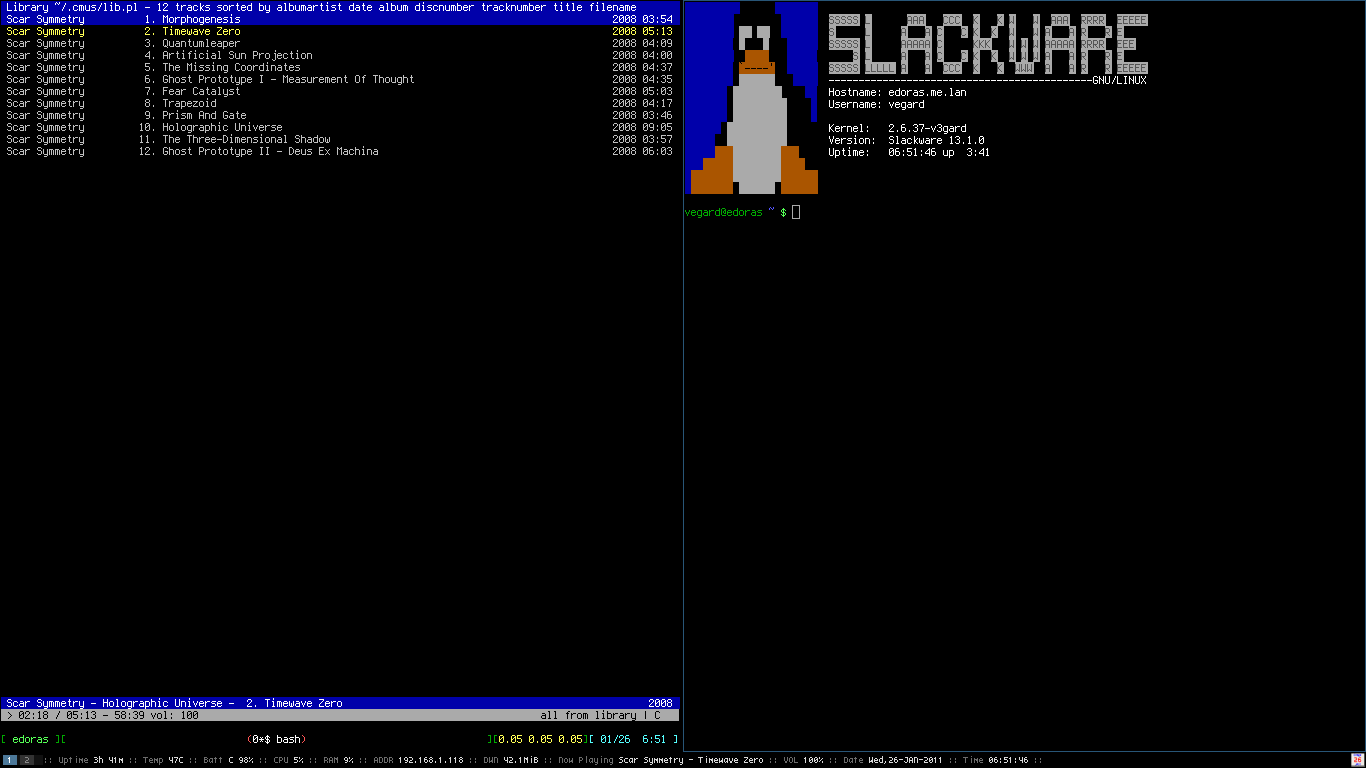
cmus is a small, fast and powerful console music player for Linux and *BSD. If you also happen to use conky, the light-weight system monitor, grabbing data from cmus and rendering it in conky is a piece of cake!
cmus comes with an application called cmus-remote that allows you to control the music player from a remote location. We’re now gonna use this app to grab the metadata and make it accessible to conky.
Since conky doesn’t have a plugin for accessing cmus directly, we need to write a simple shell script:
if [ ! -x /usr/bin/cmus-remote ]; then echo "cmus is not installed." exit fi ARTIST=$( cmus-remote -Q 2>/dev/null | grep artist | cut -d " " -f 3- ) TITLE=$( cmus-remote -Q 2>/dev/null | grep title | cut -d " " -f 3- ) if [ -z "$ARTIST" ]; then echo "Nothing" else echo "$ARTIST - $TITLE" fi
If you have a song currently being played in cmus, you can run the script shown above in your favorite terminal, and something like “Scar Symmetry – Trapezoid” will be returned.
To get the information displayed in your conky bar, you can add the following somewhere in your .conkyrc:
${execi 2 /path/to/script}
To see an example of how a rendered bar looks like, check out the screenshot of my current desktop. I’m using the i3 window manager, and the output from conky is rendered using a combination of i3-wsbar and dzen2.
My .conkyrc is available here, and you can download the cmus-conky-script here.

Thanks! It’s great.
Thanks, thats exactly what i was looking for
Is there any possiblity of getting from cmus other infos then just id3 tags? I would like to get also something like $current_position/$total_length
Hi there, and thanks for the feedback!
One possible way to achieve this is by running the following script:
if [ ! -x /usr/bin/cmus-remote ];
then
echo “cmus is not installed.”
exit
fi
DATA=$( cmus-remote -Q )
ARTIST=$( echo -e “$DATA” | grep artist | cut -d ” ” -f 3- )
TITLE=$( echo -e “$DATA” | grep title | cut -d ” ” -f 3- )
DURATION=$( echo -e “$DATA” | grep duration | cut -d ” ” -f 2 )
POSITION=$( echo -e “$DATA” | grep position | cut -d ” ” -f 2 )
if [ -z "$ARTIST" ];
then
echo “Nothing”
else
REMAINING=$(($DURATION-$POSITION))
echo “$ARTIST – $TITLE ($REMAINING)”
fi
However, that method is quite CPU intensive, since you would have to run the command every second to get any decent output. I would therefore advise against using this code. The best way to achieve what you are asking is by creating a plugin for conky, similar to what is already available with moc, such as $moc_curtime and $moc_timeleft.
I actually made a patch for conky-1.81 about a month ago, and I just commited it to my git repository. If you’re interested, you can check it out here: http://dev.v3gard.com/patches/conky.git/
Well that code on github looks too complicated for me, ill pass on it. I would like to ask you about one more thing. I wanted to convert those seconds to MM:SS format and heres what came up:
/* …
*/
MINUTES=$(($DURATION/60))
SECONDSFIRST=$(($MINUTES*60))
TIMESEC=$(($DURATION-$SECONDSFIRST))
POSMINUTES=$(($POSITION/60))
POSSECONDS=$(($POSMINUTES*60))
POSSEC=$(($POSITION-$POSSECONDS))
echo “[$POSMINUTES:$POSSEC / $MINUTES:$TIMESEC]”
To the point: I have a strange feeling that its not the best way to convert seconds into larger values, not mentioning it will start acting funny with files longer then 1 hour.
Well, as I mentioned in my last comment, the approach I suggested about getting the position via the bash script would be quite CPU intensive. If you also start converting the position to MM:SS using bash, as you suggest, it would make it even more CPU intensive. Also, the bash script wouldn’t stay in sync with conky’s refresh rate, so you’d experience a “lag” when in your conky panel.
when ever i run the script it works well but it also prints the word “artist” under the artist that is playing. can this be fixed?
pic related:
http://img38.imageshack.us/img38/1162/screenshot5z.png
I’m using cmus v2.3.3
And when I run cmus-remote -Q in a terminal I get (this is just the relevent piece):
position 153
tag artist Gov’t Mule
tag album The Deep End Vol 2
tag title World of Confusion
tag date 2002
tag genre Southern Rock
tag tracknumber 06
set aaa_mode artist
and when i run ‘cmus-remote -Q 2>/dev/null | grep artist | cut -d ” ” -f 3-’ in a terminal i also get:
Gov’t Mule
artist
But it only happens with “artist”, not album or genre or year or anything else i have tried.
its me again. my prblem has been solved
instead of
cmus-remote -Q 2>/dev/null | grep artist | cut -d ” ” -f 3-
i used
cmus-remote -Q 2>/dev/null | grep “tag artist ” | cut -d ” ” -f 3-
and if any one wants to get album art from cmus and display in conky I find this script works very well:
#!/bin/bash
artist=`cmus-remote -Q 2>/dev/null | grep “tag artist ” | cut -d ” ” -f 3-`
album=`cmus-remote -Q 2>/dev/null | grep album | cut -d ” ” -f 3-`
str=”`echo “$artist $album” | sed -e s/\\ /+/g`”
wget `wget “http://www.albumart.org/index.php?srchkey=$str&itempage=1&newsearch=1&searchindex=Music” -q -O – |
grep “http://www.albumart.org/images/zoom-icon.jpg” -m 1 |
sed -e ‘s/” border=”0″ class=”image_border.*//’ |
sed -e ‘s/.*img src=”//’` -q -O /home/USER/.album
It will use the ‘artist’ and ‘album’ to search albumart.org and it will download the first image and save it in your home folder as ‘.album’. (you need edit USER in the last line).
save it as ‘albumart’ (or whatever you want) and make it executable
then add these line to conky:
${exec /path/to/albumart}
${image /home/deltron/.album -p 40,150 -s 150×150 -f 5}
adjust as needed.
I got it (and modified it from a rhythmbox script) from here:
http://crunchbanglinux.org/forums/topic/3728/images-in-conky-specifically-rhythmbox-album-art/
Why not just use “:set status_display_program=cmus-status-display” as in “examples/cmus-status-display”?